The version you can put in front of a budget meeting.
Same product the operators use. Charts a director can read, diffs that answer what changed, and an AI report you can forward. First scan is a free preview.
First scan is a free preview • Packs start at 10 scans • No subscription
The AI layer drafts the narrative. It does not invent findings. Each line in the report links to the scanner output that produced it, so a reviewer can check the claim instead of trusting it.
Fifty recon tools run across eight phases. Subdomains, live hosts, ports, paths, TLS, and CVEs come from the scanners themselves.
A CVE is kept only when the installed version falls inside the affected range. Theoretical matches are dropped before they reach the report.
The executive summary, impact framing, and remediation ordering are drafted from the validated output, then exportable as a sectioned PDF.
What that means for a non-operator
This creates real problems for the people recommending tools:
An analyst can start it. An engineer can defend the evidence.
The analyst or engineer simply enters the target domain. No complex configuration needed. Works for any public-facing asset.
50 agents run the security tools across 8 phases. Passive OSINT and subdomain discovery first, then live hosts and active checks, then a Known Exploits phase that looks up CVEs against the software versions actually found.
A visual attack-surface summary appears on every job report: KPI tiles, interactive charts, technology and subdomain word maps, and known CVE counts. Click any metric to jump straight to the underlying tool evidence.
The AI engine writes the executive report, including CVE matches that survived the version check. If you have scanned this domain before, the diff shows what is new. The report emails itself when the job finishes, and you can export a sectioned PDF.
Charts instead of a log dump. CVEs checked against real versions. Scheduled scans that diff themselves. HackerOne and Bugcrowd scope sync, PDFs, and badges for teams that run this every week.
Every completed scan includes an at-a-glance dashboard on the job report page:
A dedicated final-phase agent aggregates discovered technologies and searches the web for real-world exploits:
Continuous monitoring without manual resubmission. Configure recurring scans in Advanced Settings and the full 50-agent pipeline re-runs on autopilot.
A re-scan by itself is just more data. SquidScanner compares every completed job to the previous completed scan of the same domain and highlights what changed. Teams triage new risk instead of re-reading the whole surface.
Business outcome: schedule weekly recon once, then report “what appeared this week” to executives or clients without a manual before/after analysis.
Teams running bug bounty programs can connect HackerOne or Bugcrowd directly:
Deliver findings without reformatting or copy-paste:
Gamified progress tracking keeps security teams engaged and surfaces expertise:
Job submission, bounty scope, scheduled recon, diffs, badges, charts, PDF export, and the AI report. One dashboard.
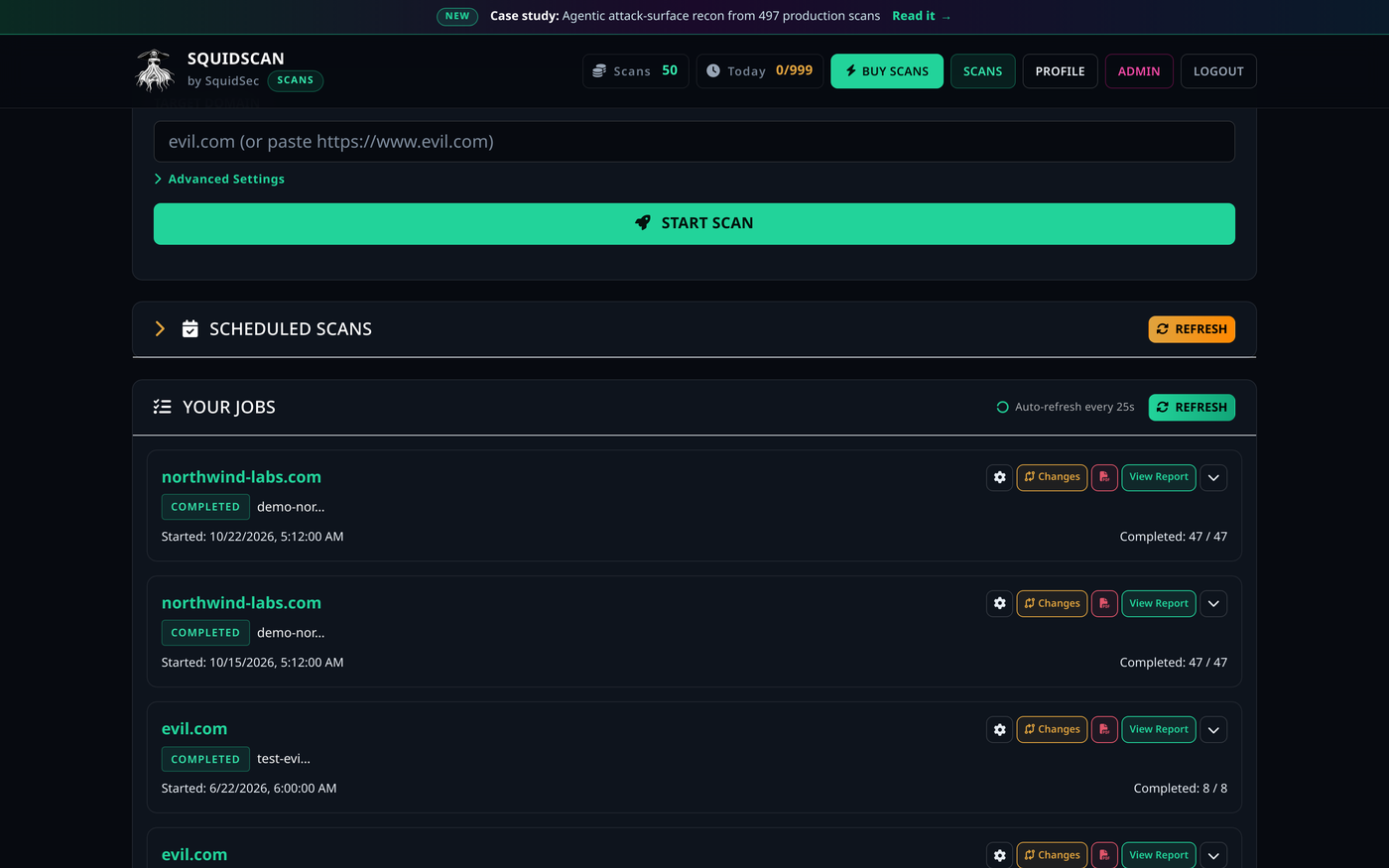
Submit a domain and track every job in one list
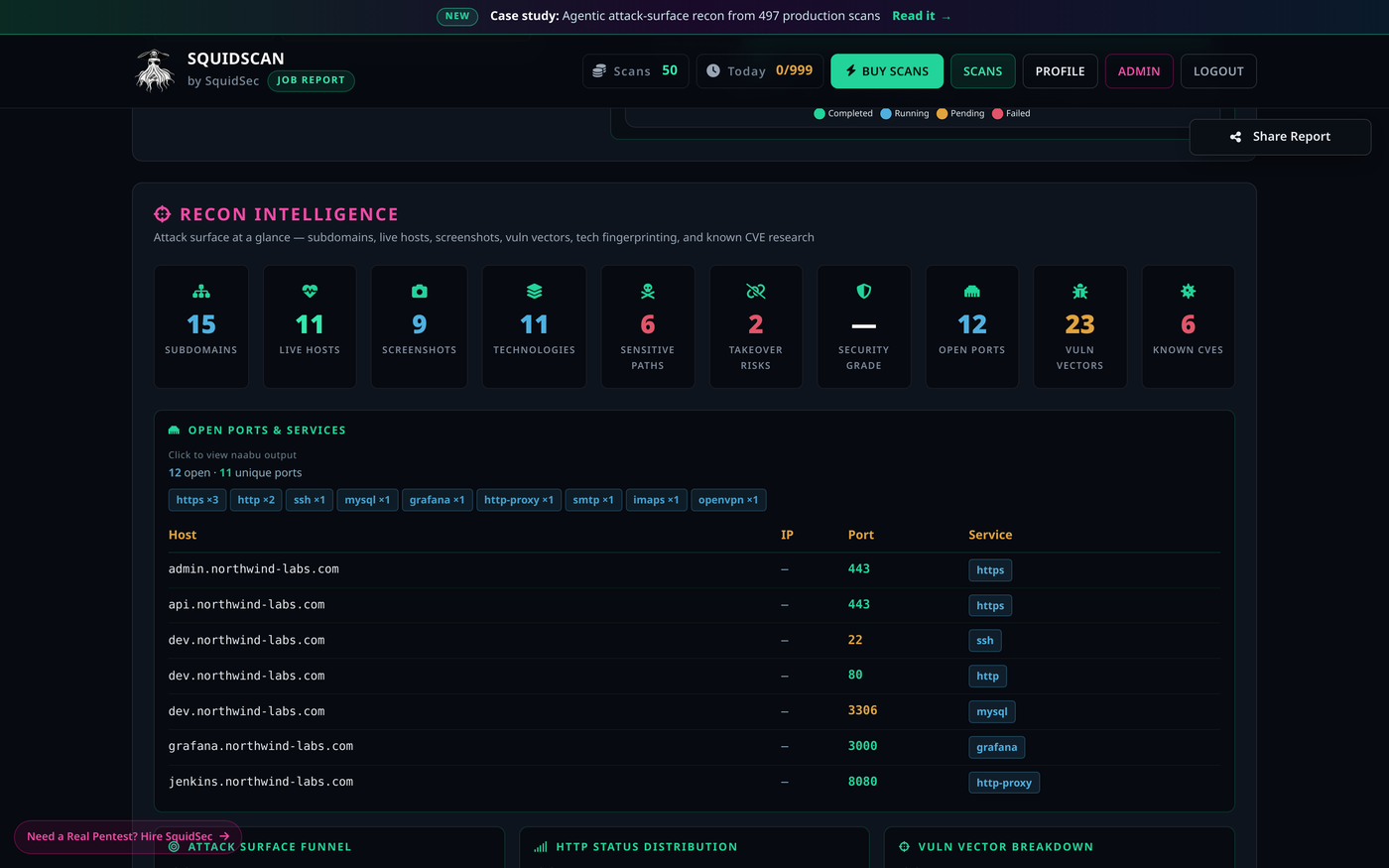
Recon Intelligence: the whole attack surface in one view
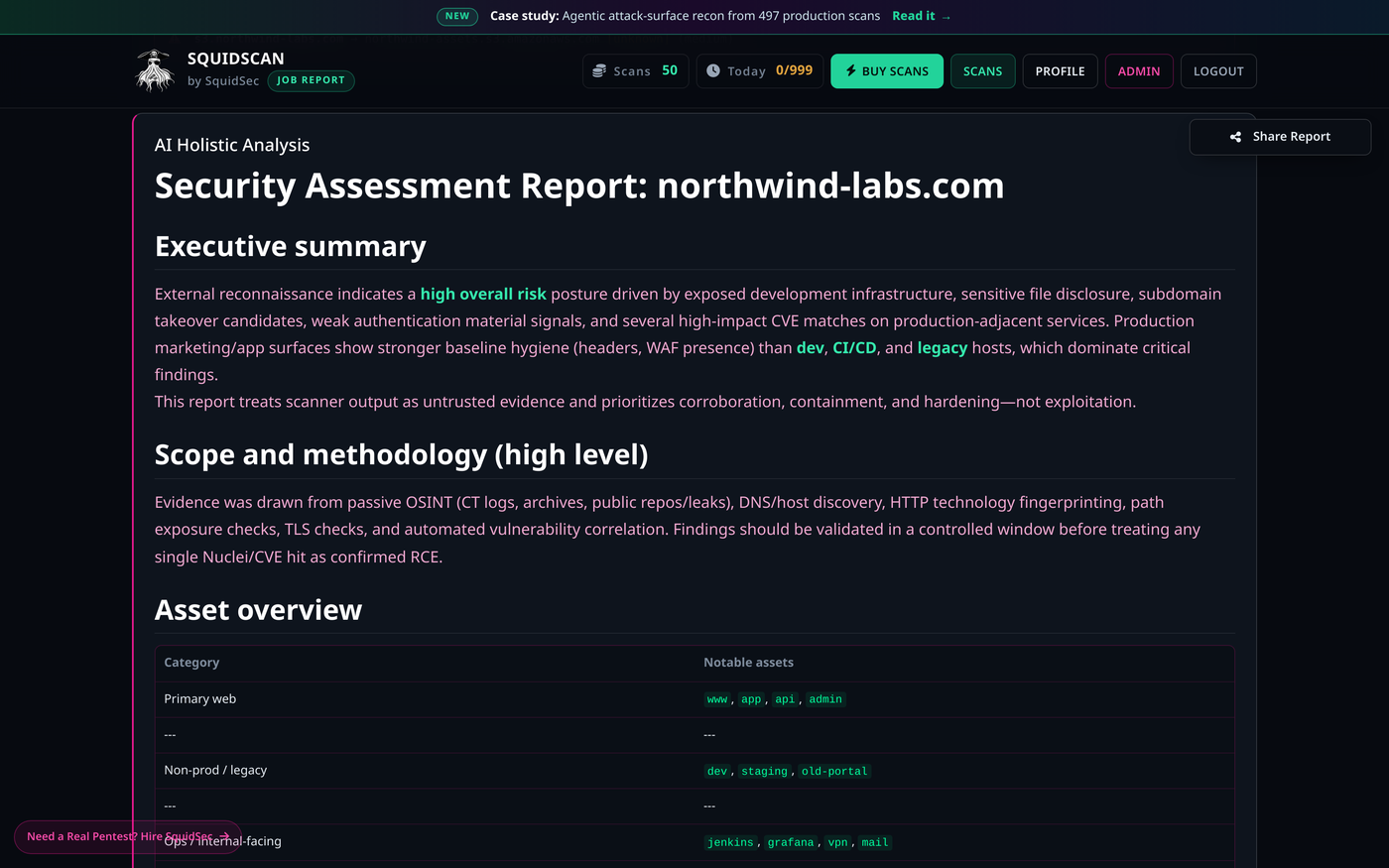
Phase-by-phase progress across the full pipeline
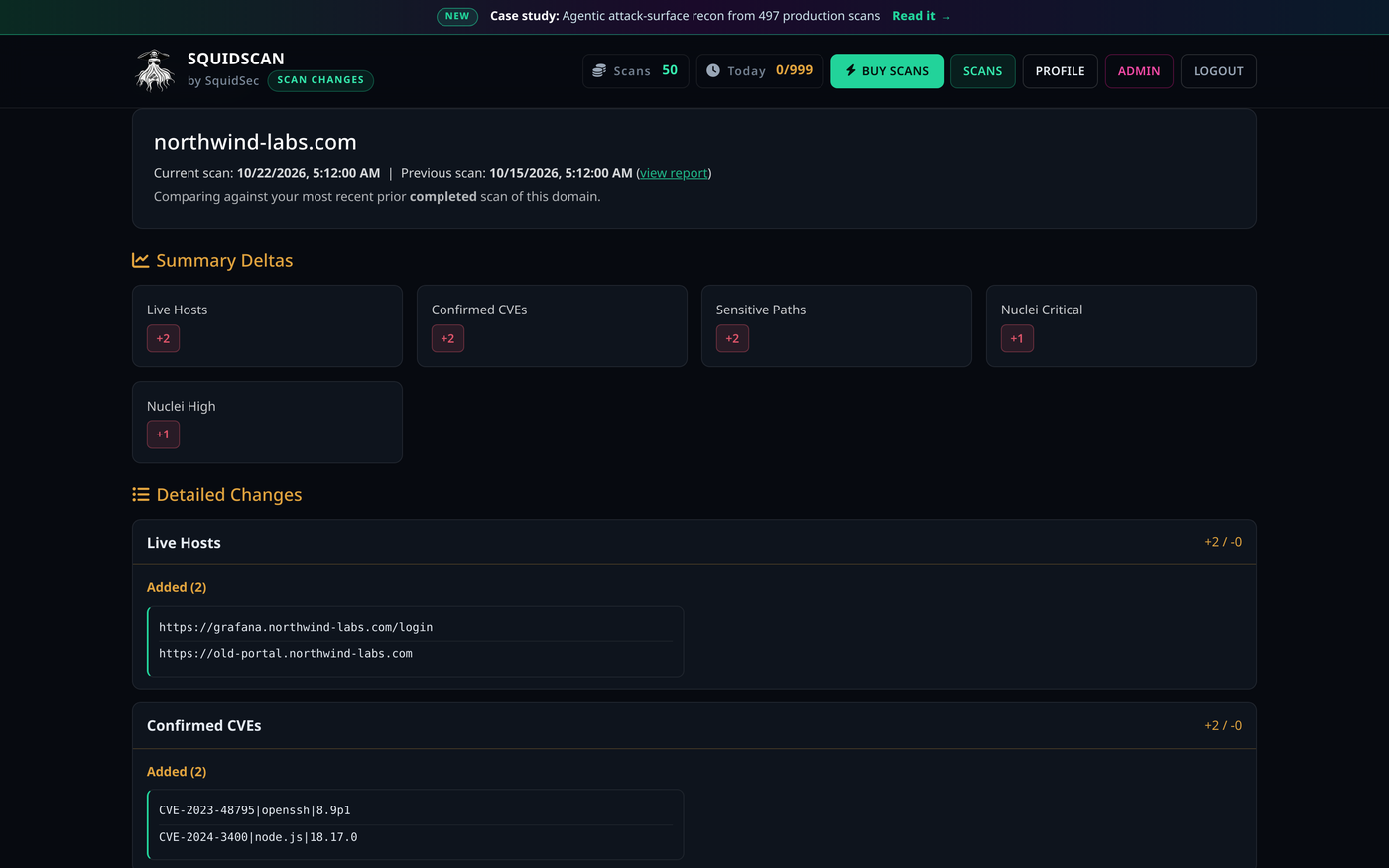
Scan changes: what is new or fixed since the last run
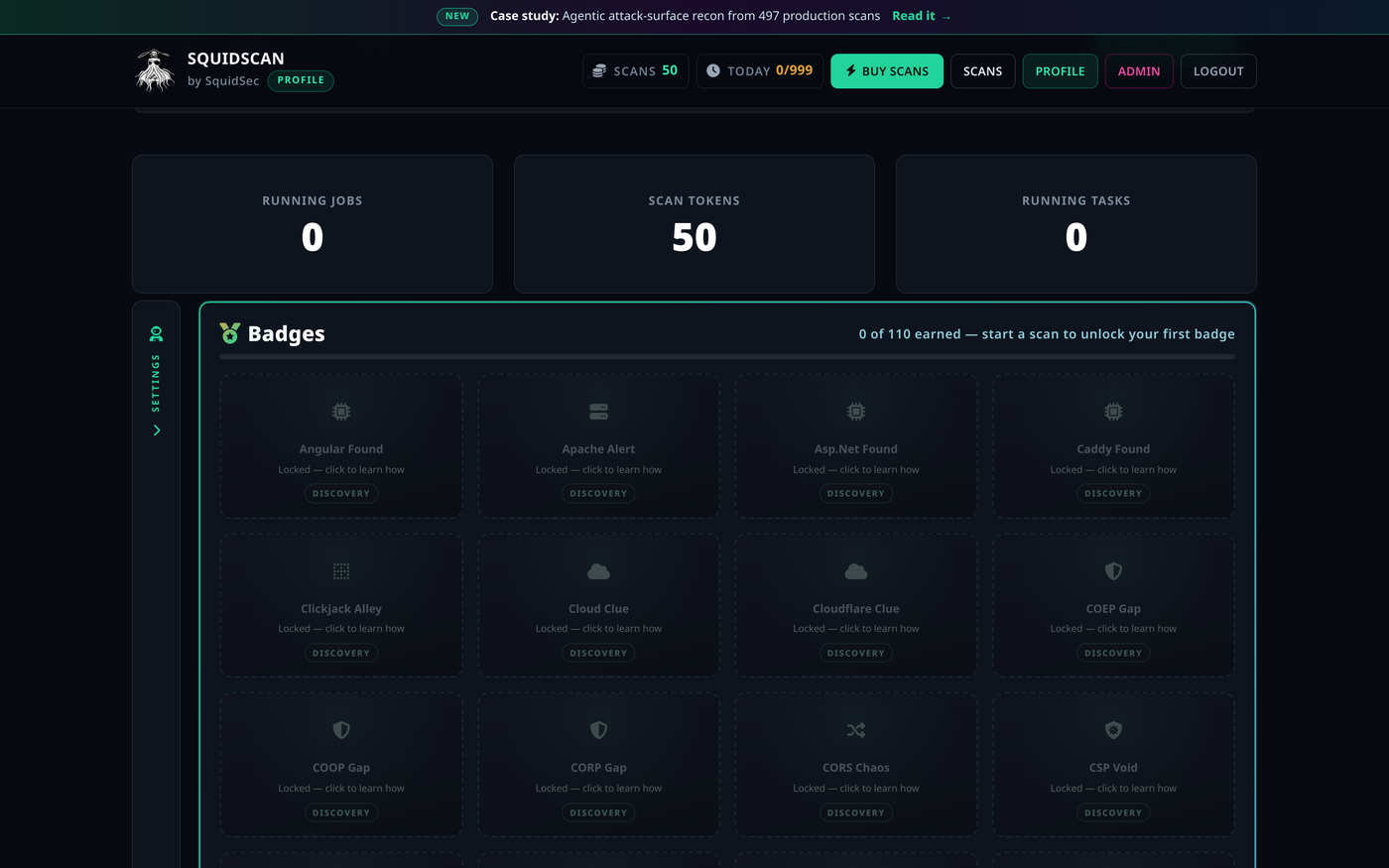
110 achievements tracked on your operator profile
Sign in with a password or Google
The scanners are table stakes. The report, the diff, and the version check are the product.
The AI engine writes a report a non-operator can finish. You are not handing a director a nuclei dump and asking them to care.
Nobody sits on 15 terminals. The pipeline runs from subdomain enumeration through the final report.
Strong legal and operational controls (including self-service domain opt-out) so you can confidently recommend the tool without compliance concerns.
Get comprehensive attack surface visibility in hours instead of days. Ideal for security assessments, M&A due diligence, and continuous monitoring programs.
Every assessment follows the same rigorous methodology. No more variance based on who is running the tools or how much time they have.
Goes beyond traditional scanning with historical data (Wayback), certificate intelligence, GitHub reconnaissance, and public leak detection.
Interactive charts, KPI tiles, and word maps turn hundreds of tool outputs into a single attack-surface picture. Stakeholders can explore findings without reading raw logs.
Known CVE counts include only exploits that match the software versions found. Fewer theoretical hits. A shorter remediation list.
Click a metric or chart segment and you land on the tool output behind it. Audits and handoffs do not depend on someone remembering which log mattered.
Connect bounty program platforms on the operator profile and pull in-scope assets automatically. Security teams stay within program boundaries without maintaining separate target lists.
One-time, daily, weekly, or monthly, in the local timezone. Nobody resubmits the job. The full agent pipeline runs again on that schedule.
Every completed scan is compared to the prior run of the same domain. New hosts, technologies, CVEs, sensitive paths, and grade shifts show up as changes, not as another full dump.
Over 100 earnable badges track discovery milestones, OWASP coverage, and scan streaks. Stackable counts and shareable profiles help demonstrate team expertise and engagement.
Export sectioned PDFs (including scan changes), email the AI executive report on completion, and share public report links when stakeholders need visibility without dashboard access.
Teams get meaningful results in hours instead of days or weeks. Great for proof-of-concept, pilot projects, and time-sensitive assessments.
Every report follows the same method. Quality does not swing with whoever had time to run the tools that week.
You can hand the final AI report to executives, risk committees, or clients without heavy editing. Reports are designed to be read, not just filed.
Reduces reliance on expensive manual consulting hours for discovery work. One token = one complete, AI-analyzed assessment.
Built-in domain opt-out, strong audit logging, and clear terms of use make it easier to get legal and procurement approval.
The AI engine writes the synthesis. The scanners still do the scanning. The model is there to rank what matters, not to replace subfinder.
Combines traditional scanning with modern techniques: historical data from Wayback Machine, certificate transparency logs, GitHub reconnaissance, and public leak detection.
Perfect for continuous monitoring programs, regular assessments, or scaling security reviews across a large portfolio of assets.
Executives and analysts get charts. Engineers still get the raw tool output one click under those charts.
Known exploit research ties CVEs to the software versions found on the target. Remediation starts with confirmed risk, not a CVE list that might not apply.
HackerOne and Bugcrowd scope sync keeps scans on authorized targets. Run All In Scope covers an eligible program in one action, without a spreadsheet of hosts.
Daily, weekly, or monthly scans run without someone clicking submit, in the timezone you set. Built for programs that need the same method every cycle, not a one-off.
Automatic scan-to-scan comparison answers the question stakeholders actually ask: what changed? New hosts, CVEs, and exposures show up as deltas. You do not reprint the full report every cycle.
Sectioned PDF exports (including scan changes), scan-complete email with the AI executive report, and optional public share links make it easy to hand findings to executives, clients, or program managers without reformatting.
The badge system surfaces who is finding what across your organization. Shareable achievements and public profiles help demonstrate security team maturity to stakeholders.
Below is the full list of reconnaissance tools SquidScanner runs, along with what each specialized AI agent accomplishes.
50 tools across 8 phases. Each tool runs in its own agent. The agent parses the output and feeds the AI report.
The free preview is a real scan, not a slideshow. If the report is useful, buy a pack. Scans do not expire.
Questions? Email us at contact@squidhacker.com